
Solutions
Restaurant POS
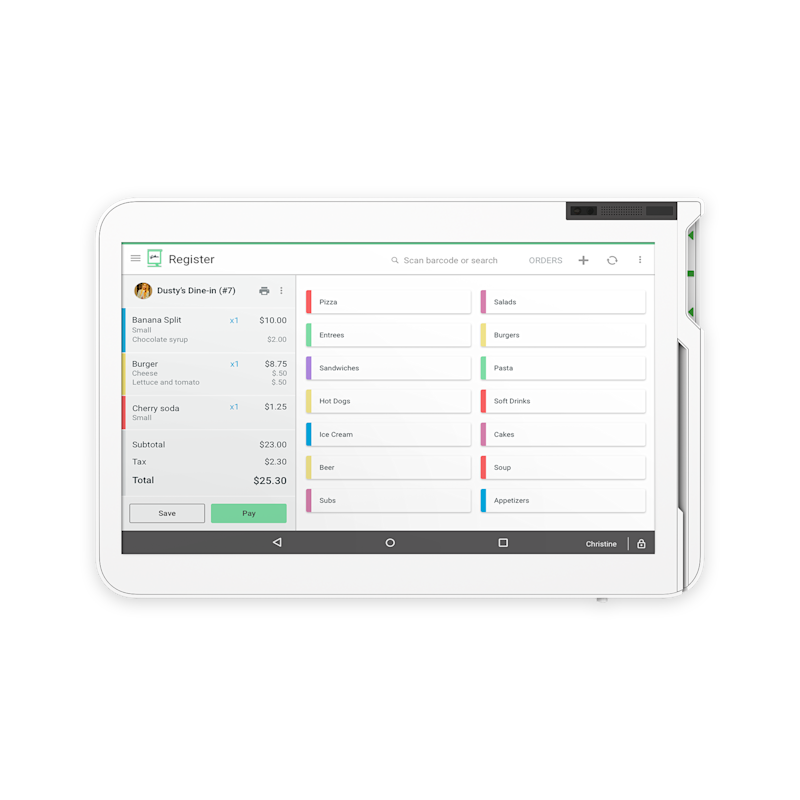
Restaurants don't have transactions. They have tickets that change three times before they're paid. The POS either keeps up with that or it becomes the slowest person on the floor.
Solutions
The short version
01
Order entry
Menus and modifiers built so the common order is two taps, not six.
02
Tables & coursing
Open tabs, transfers, splits by seat or item, and fire timing to the kitchen.
03
Kitchen routing
Tickets to the right printer or display without a server walking them back.
04
Tips & tip pooling
Tip entry, adjustments and reporting that survives payroll questions.
05
Online orders
Digital orders landing in the same ticket queue as walk-ins.
06
Tableside
Handhelds that take the order and the payment at the table.
The menu build is the project
Everything downstream depends on how the menu is structured. Modifier groups, forced choices, price levels, happy hour, 86ing an item mid-shift. We build it with you rather than handing over an empty catalog.
- Modifier groups that match how you cook
- Price levels and happy hour
- Combos and upsells
- 86 an item in one tap
Speed at the point of the rush
Count the taps for your five most common orders. If it takes more than a few, the setup is wrong. Fast checkout is a configuration decision, not a hardware upgrade.
Get the kitchen out of the shouting business
Kitchen displays or well-placed printers keep the line and the front of house in sync. Fewer remakes, fewer comps, less arguing about who said what.
Online ordering that doesn't need a babysitter
A tablet from a delivery app sitting next to your POS means someone re-keys every order. Integrated ordering puts those tickets in the same queue with the same modifiers.
Clover or Square
Clover or Square?
We sell both, so the recommendation comes from your workflow instead of our inventory.
Clover
Restaurant-focused software with kitchen display, kiosks and a deep app marketplace for niche needs.
Explore Clover →Square
Square for Restaurants covers coursing, tableside handhelds, KDS and online ordering in one connected system.
Explore Square →FAQ
Questions we get
Can I move my existing menu over?
Usually. Bring an export or even a PDF menu and we'll rebuild it properly rather than importing a mess.
Do handhelds replace stations?
Not always. Most restaurants run a station or two plus handhelds for the floor. We'll size it to your layout.
What about third-party delivery?
Both platforms have integrations that pull delivery orders into the POS. Which ones depends on the apps you use.
How do tips work?
Tip prompts at checkout, adjustments after the fact, and reports for pooling. We configure it to match how you actually distribute tips.
Free consultation
Build My Restaurant POS
Tell us how your business runs. We'll come back with a straight recommendation — including telling you if what you already have is fine.
Prefer to talk? Book a 15-minute call. Based in Southeast Wisconsin. Working with businesses nationwide.
Equipment at no cost, free setup, no long-term contract.
- No long-term contract
- Equipment at no cost
- Free setup
- Ongoing support
Locally owned since 2000 · owner-run in Southeast Wisconsin. What’s included →
Related
Keep reading
Start with a conversation.
Tell us how your business runs. We'll help you figure out what actually fits — Clover, Square or a specific configuration of either.