
Solutions
Invoicing
If you bill after the work is done, the gap between finishing and getting paid is a cash flow problem. Invoicing from your POS closes it.
Solutions
The short version
01
Send anywhere
Email or text an invoice from the shop, the truck or your phone.
02
Pay online
Customers pay by card from the invoice, no phone call needed.
03
Estimates
Send a quote, convert it to an invoice when approved.
04
Deposits
Collect part up front on larger jobs.
05
Recurring
Automatic billing for retainers, memberships and service plans.
06
Tracking
See sent, viewed, paid and overdue at a glance.
Getting paid is a process, not a hope
Invoice the day the work is done. Automatic reminders at seven and fourteen days. Card on file for repeat customers. That combination fixes most receivable problems without an awkward call.
- Same-day invoicing
- Automatic overdue reminders
- Card on file for regulars
- Deposit before scheduling
Estimates that turn into work
A quote sent from a phone while you're standing in the customer's kitchen beats one emailed three days later. Approval converts it straight to an invoice.
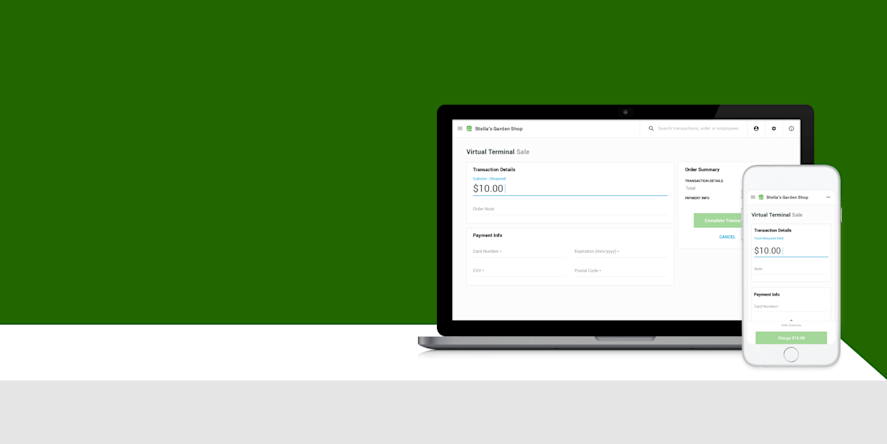
Virtual terminal for phone orders
When you need to key in a card, a virtual terminal in the browser handles it. Keyed transactions cost more, so we'll show you when to use it.
It all lands in the same reporting
Invoiced revenue and counter sales in one place. No separate ledger to reconcile at month end.
Clover or Square
Clover or Square?
We sell both, so the recommendation comes from your workflow instead of our inventory.
Clover
Clover offers invoicing and a virtual terminal tied to your merchant account and customer records.
Explore Clover →Square
Square Invoices covers estimates, deposits, recurring billing, reminders and card on file.
Explore Square →FAQ
Questions we get
What does it cost to send an invoice?
Sending is typically free; you pay a processing rate when the customer pays by card. Keyed and card-on-file rates can differ.
Can I take a deposit?
Yes, and for larger jobs you should. Deposit plus balance on completion is standard.
Can I bill monthly automatically?
Yes, with recurring invoices and card on file.
Does it integrate with accounting?
Both platforms connect to common accounting software.
Free consultation
Start Invoicing From My POS
Tell us how your business runs. We'll come back with a straight recommendation — including telling you if what you already have is fine.
Prefer to talk? Book a 15-minute call. Based in Southeast Wisconsin. Working with businesses nationwide.
Equipment at no cost, free setup, no long-term contract.
- No long-term contract
- Equipment at no cost
- Free setup
- Ongoing support
Locally owned since 2000 · owner-run in Southeast Wisconsin. What’s included →
Related
Keep reading
Start with a conversation.
Tell us how your business runs. We'll help you figure out what actually fits — Clover, Square or a specific configuration of either.